
Quick Answer:
Snapchat Planets can disappear for several reasons, including changes to your Best Friends list, Snapchat+ or Friend Solar System settings, app issues, or temporary feature problems. If planets disappear for only one friend, their position in your Best Friends list may have changed. If planets disappear for everyone, check your Snapchat+ subscription, Friend Solar System settings, and app version.
What Does “Snapchat Planets Disappeared” Mean?
When users say their Snapchat Planets disappeared, it does not always mean the feature is completely gone. It usually means the planets are not showing in the way they were before. For some users, Snapchat planets do not appear for any friend at all, even though they have Snapchat+. For others, the planets disappear for only one person while they still show for other friends.
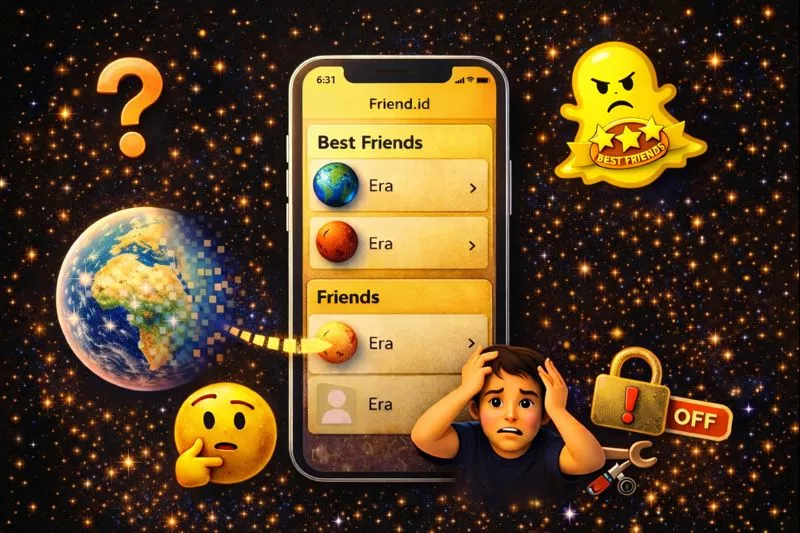
In some cases, the gold Best Friends badge is visible, but when users tap on it, no planet appears. Because of these different situations, people often say their “Snapchat Planets disappeared” even though the feature is still there.
Why Snapchat Planets Disappear Sometimes? (Main Causes)
Snapchat Planets can disappear for different reasons, and in most cases, it is not a serious problem. The feature usually stops showing because of settings changes, ranking updates, or small app issues. Understanding the main causes makes it easy to fix the problem.
1. Snapchat+ Subscription Is Inactive:
Snapchat Planets are only available for Snapchat+ users. If your subscription expires or gets canceled, the planets feature is automatically removed from your account. Always make sure your Snapchat+ plan is active if you want to keep using the Friend Solar System feature.
2. Friend Solar System Is Turned Off:
Check whether Friend Solar System is enabled in your Snapchat+ settings. After updates or reinstalling the app, this setting can be disabled again. You must manually turn on Friend Solar System from your Snapchat+ settings for the planets to appear.
3. Friend’s Position in Your Best Friends List Changed
If a friend is no longer among your Best Friends list, their planet may no longer appear.. Snapchat says Best Friends are the people you Snap and Chat with the most and that the list is updated regularly.
4. Snapchat App Bug or Cache Problem:
Sometimes the Snapchat app does not load features properly because of a small bug or cache problem. This can stop the planet animation from showing. These bugs are usually temporary and can be fixed by restarting or updating the app.
5. Outdated Snapchat Version:
If you are using an old version of Snapchat, the Friend Solar System feature may not work correctly. Some features only work properly on the latest version. Updating the app helps fix missing features and improves performance.
6. Temporary Snapchat Server Issue:
Sometimes Snapchat servers face temporary problems. During this time, features like Friend Solar System may stop working for many users. In most cases, the issue is fixed automatically after a few hours.
How to Fix Snapchat Planets Disappeared issue? (Easy Steps)
If the feature still isn’t appearing, try these general troubleshooting steps:
Check Your Snapchat+ Status
Open your Snapchat profile and go to the Snapchat+ section. Make sure your subscription is active and not expired. If your subscription is inactive, renew it to restore the planets feature.
Turn On Friend Solar System
Go to your profile, open Snapchat+, and find the Friend Solar System option. Turn the toggle ON if it is disabled. This is one of the most common reasons why Snapchat Planets disappear.
Update Snapchat
Open the App Store or Play Store and check for a Snapchat update. Install the latest version if one is available. New updates often fix bugs and missing feature problems.
Restart the App
Close Snapchat completely and then open it again. This refreshes the app and fixes many small glitches. A simple restart can often bring the planets back.
Clear Cache (Android Only)
Open your phone settings, go to Apps, select Snapchat, and open Storage. Tap on Clear Cache to remove temporary files. This helps fix loading and display problems.
Log Out and Log In
Log out of your Snapchat account and then log back in. This refreshes your account connection. It can fix syncing problems that stop planets from showing.
Reinstall Snapchat
If nothing else works, uninstall Snapchat and install it again from the app store. This gives you a fresh app setup and removes all hidden bugs.
Snapchat Planets Disappeared in Different Situations
Only One Friend’s Planet Disappeared
Their position in your Best Friends list may have changed. Check whether they are still among your Top 8.
To understand how the Top 8 positions translate into Mercury through Neptune, see Snapchat Best Friends List Planets.
No Planets Appear for Anyone
Check your Snapchat+ subscription and Friend Solar System settings, then update Snapchat.
Gold Best Friends Badge Appears but No Planet
Try restarting Snapchat and checking for an app update. If the issue continues, the feature may be temporarily unavailable.
Planets Disappeared After an Update
Check your Friend Solar System settings and make sure the feature is still enabled.
Planets Keep Appearing and Disappearing
Your Best Friends list can change over time, so a planet can change when a friend’s position changes.
Do Snapchat Planets Update in Real Time?
No exact real-time update schedule is publicly documented by Snapchat. Your Best Friends list can change as your activity changes, but Snapchat does not say exactly when a new planet position will appear. If your position has not changed immediately after interacting with someone, that does not necessarily mean the feature is broken.
Did Snapchat Remove the Planets Feature?
Friend Solar System is currently documented by Snapchat as a Snapchat+ feature. If you cannot see it, check your Snapchat+ subscription and Friend Solar System settings before assuming the feature has been removed. You can still see planets when you tap on the gold Best Friends badge in a friend’s profile.
Many users think the feature is gone because Snapchat now keeps it turned off by default. After updates or reinstalling the app, this setting can turn off again, so you need to enable Friend Solar System manually from Snapchat+ settings.

Why Do Planets Show for Some Friends but Not Others?
Seeing your planet on one friend’s profile but not another’s feels like a bug, but it is usually not. Planet visibility is decided per friend, not for your whole account at once.
The most common reason is the other person’s settings. If your friend turned off the Solar System in their Snapchat+ settings, you will not see your planet on their profile — even if you can see it on someone else’s.
The second reason is the subscription. Both sides need an active Snapchat+ subscription for the planet to appear.
The third reason is rank. Planets only appear if you are in that friend’s top 8 best friends. If you dropped to number 9 or lower for one friend, their planet disappears while it still shows for others.
This is not someone blocking or hiding you. Check these three causes first before worrying.
Conclusion:
Snapchat Planets disappearing is a common issue and usually not a serious problem. In most cases, it happens because of ranking changes, disabled settings, or small app bugs. The feature is still available and has not been removed by Snapchat.
By checking your Snapchat+ status, turning on the Friend Solar System option, and keeping your app updated, you can easily bring your planets back. With the right settings and a little patience, the Snapchat Planets feature will work normally again.
Frequently Asked Questions:
Do both people need Snapchat+ for Planets to show?
Many users ask if both friends must have Snapchat+ for planets to appear. Some users report that planets work better when both people have Snapchat+. This confusion often makes users think the feature is broken.
Why do my Snapchat Planets look different than my friend’s?
Users notice that their planets look different from what their friends see. This happens because each person has their own Best Friends ranking. Planets are based on personal activity, not mutual ranking.
Can someone hide their Snapchat Planet from me?
Many users think someone blocked or hid their planet from them. In reality, planets cannot be hidden manually by a user. They only disappear because of ranking or settings.
Why do Snapchat Planets disappear and come back the next day?
It happens because ranking updates slowly and adjusts daily. So planets may disappear for a while and return later.
Do Snapchat Planets work the same on Android and iPhone?
Users often ask if the feature works differently on Android and iPhone. The feature is the same, but app bugs may appear more on some devices. Updates usually fix these platform issues.
Can Snapchat ban remove the Planets feature?
Some users think Snapchat removed planets because of account warnings. Account bans do not remove the planets feature. Planets only depend on Snapchat+ and settings.
Why Did My Planet Order Change?
Your planet order changes because your Best Friends ranking shifted. If you Snap someone less than before, you may slide to a farther planet; if you Snap them more, you may move closer to the Sun. A friend’s new conversations can also push your rank down even if your own activity stayed the same. Snapchat has not shared an exact update schedule, so changes can feel sudden or slow — that is normal. The list simply re-sorts itself as activity changes.
My Snapchat Planet Dropped: Does It Mean They’re Talking to Someone Else?
A dropped planet does not prove your friend is talking to someone else. It only proves your rank moved down — and ranks move for boring reasons all the time.
Here is what a drop actually means: someone else moved above you in your friend’s top 8. That could be a new friend they snap a lot, an old friend they reconnected with, or just a busy week where you snapped less. None of that equals flirting or cheating.
What a drop does NOT tell you: who took your spot, why they moved up, or anything about your friend’s feelings. The planet system shows positions, not intentions.
If your planet dropped one or two spots, that is normal movement — rankings shift daily. If it keeps falling for weeks while you snap them the same as before, then yes, someone else is probably getting more of their attention. But even then, more attention can mean a family member, a coworker, or a group chat — not necessarily someone new romantically.
Do not confront anyone over a planet. If you are worried, talk to the person directly. A planet is a
ranking, not evidence.
How to Get Your Planet Back
There is no button that restores your planet. The ranking follows your recent activity, so the fix is always the same: interact more, consistently. Snap and chat with that friend every day. Daily back-and-forth over time moves you up far more than one intense day of snapping. Keep it two-sided — replies count, not just sending. Mix snaps and chats instead of using only one. Be patient. The list reflects weeks of habits, so recovery takes steady daily activity, not a single big effort. No trick or third-party app can force it.
Who Can See Your Snapchat Planets?
Only the pieces that involve you. When you open a friend’s profile, you see YOUR planet in THEIR solar system — your rank in their top eight. When they open your profile, they see THEIR planet in YOUR solar system. Nobody can see anyone else’s full best friends list, and nobody can see your planets except the rank that belongs to them. If you switch off your own Solar System toggle, planets disappear from your view, but friends with Snapchat+ can still see their own planet on your profile. One common worry: can they tell that you checked? No — checking someone’s planet never sends a notification.


One Comment