
Quick Answer:
Snapchat Planets are a visual way to show how close you are to someone in your Best Friends list. They are not a separate feature but a display of Snapchat’s interaction-based ranking system. Each planet represents your relative position with a friend based on snaps and chats. This feature is only available to Snapchat+ users.
When Snapchat introduced the Planets feature as part of Snapchat Plus, it genuinely confused a lot of people including me at first. The idea of being someone’s ‘Mercury’ or ‘Jupiter’ sounds fun, but what does it actually mean? And why does it matter which planet you are?
After going through each planet and what position it represents, I can tell you the system is actually pretty clever once you understand it. This guide breaks down every planet in the Snapchat solar system, what your position means, and what it tells you about your friendship with that person.
What Are Snapchat Planets in the Best Friends List?
Snapchat Planets are a simple visual system that shows how close you are to someone in your Best Friends list. They help you understand your interaction level with friends without showing numbers or exact ranks.
These planets are not visible to both users only the Snapchat+ user can see them. This feature is available only for Snapchat+ subscribers and works as part of the Best Friends list, not as a separate feature.
How Snapchat Planets Are Connected to the Best Friends List?
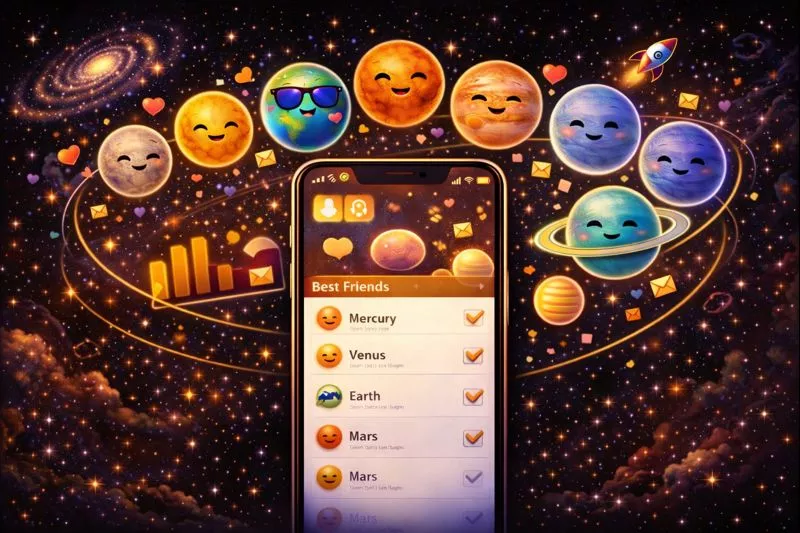
The Best Friends list is the main system Snapchat uses to rank the people you interact with the most. This ranking works in the background and is based on how often you snap and chat with friends. Snapchat Planets do not create a new ranking they simply show this existing ranking in a visual way.
Think of it like this: The Best Friends list is the data, and Snapchat Planets are the display of that data. Each planet represents a different position in your Best Friends ranking, helping you understand closeness without showing exact numbers. As your interaction patterns change, the ranking updates automatically, and the planet shown for a friend can also change.
How Snapchat Decides Which Planet Appears for a Friend?
Snapchat planet positions are based on how strong and active your communication is with a friend. The app checks your real conversations and snapping behavior over time. Some actions help increase your ranking, while others have no effect at all.
What Affects vs What Does Not Affect Snapchat Planet Ranking:
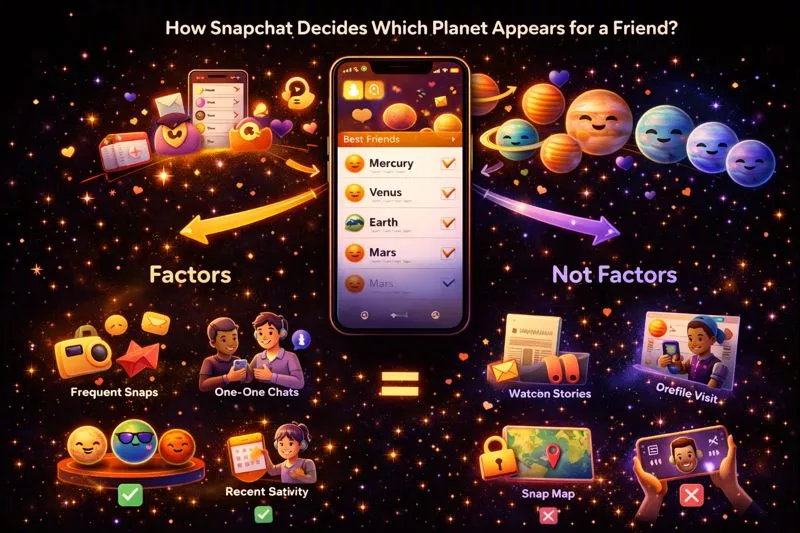
Snapchat Planet ranking depends on how actively and regularly you communicate with a friend. Actions like sending snaps and chatting increase your closeness, while passive actions are ignored. Understanding what affects and what does not affect the ranking helps you know why planet positions change.
Factors That Increase Your Planet Ranking | Actions That Do Not Affect Your Planet Ranking |
|---|---|
Snap Frequency: Regular snapping shows strong communication between two users. | Watching Stories: Story viewing is only content watching and does not count as interaction. |
Chat Activity: Private chats show personal and active communication. | Profile Visits: Opening a profile is browsing activity and not engagement. |
Interaction Recency: Recent snaps and chats matter more than old activity. | Snap Map Activity: Location sharing is not considered communication. |
Mutual Engagement: Both users being active shows a strong connection. | Screenshots: Screenshots show interest but do not create conversation. |
Important to Remember:
Only direct, mutual interaction such as snaps and private chats affects Snapchat Planets. Passive actions that do not start or continue a conversation are ignored by the ranking system.
Why Snapchat Planets Appear for Some Friends but Not Others?
Many users notice that planets appear next to only a few friends and wonder why everyone does not have one. This happens because Snapchat Planets are limited to your closest and most active connections. The feature is designed to show ranking only where strong interaction exists.
Main reasons planets appear for some friends:
Snapchat shows planets only for friends with whom you have strong and regular interaction. The system checks how active and mutual your communication is over time. If a friend meets Snapchat’s Best Friends criteria, a planet appears; otherwise, it does not.
Only Top Best Friends Receive Planets
Snapchat shows planets only for friends who are ranked high in your Best Friends list. If a friend is not among your top interactions, no planet will appear next to their name.
Casual Friends Don’t Qualify
Friends you snap occasionally or talk to once in a while are considered casual connections. Since there is not enough regular interaction, Snapchat does not assign them a planet.
One-Sided Interaction Limitation
If you send many snaps but the other person rarely replies, Snapchat does not see this as a strong connection. Planets usually appear only when both users interact regularly.
Snapchat+ Visibility Rules
Snapchat Planets are visible only to Snapchat+ users. Even if both people are Best Friends, only the person with Snapchat+ can see the planet icons.
Mutual vs Non-Mutual Ranking Explained:
When both you and a friend snap and chat with each other frequently, the ranking becomes mutual, increasing the chance of a planet appearing. If interaction happens mostly from one side, the ranking stays weak, and no planet is shown.
How the Top 8 Best Friends Affect Snapchat Planets?
Snapchat Planets work only with your Top 8 Best Friends. Snapchat shows planets only for the friends you talk to and snap with the most. If a friend is not in your Top 8 list, they will not have a planet. This system helps Snapchat show only your strongest and most active connections.
If your interaction changes, your Top 8 list can change too. When a friend moves into your Top 8, a planet may appear. If a friend moves out, their planet can disappear. This is why planets sometimes change suddenly it simply means your interaction pattern has changed.
How Snapchat Converts Rankings into Planet Positions?
Snapchat first creates a ranking of your friends based on how often and how recently you interact with them. Instead of showing this ranking in numbers like #1 or #2, Snapchat turns each position into a planet. This makes the ranking easier to understand and more fun to look at.
The friend you interact with the most is shown as Mercury, the closest planet to you. The next closest friend becomes Venus, then Earth, Mars, and so on. Snapchat uses planets instead of numbers to keep the experience friendly and to avoid making the ranking feel competitive or uncomfortable.
Can Snapchat Planets Change Without Your Best Friends List Changing?
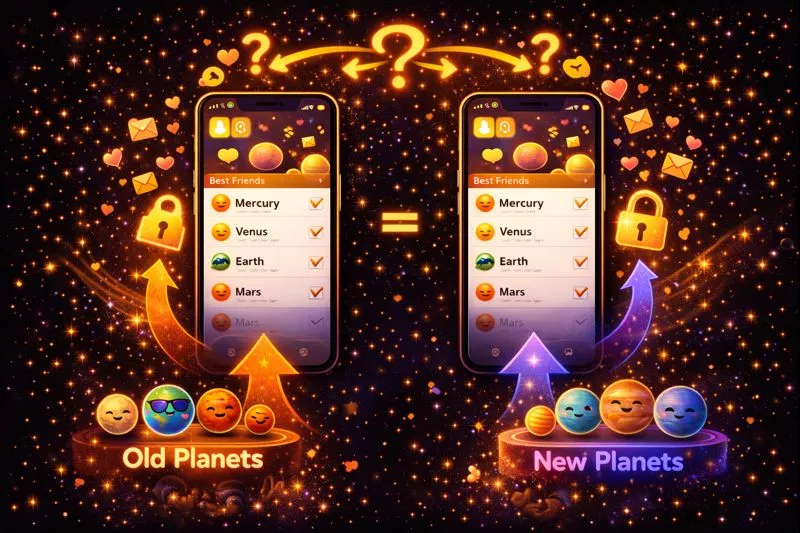
Yes, Snapchat Planets order can change even when your Best Friends list looks the same. Snapchat updates its ranking system daily and makes small micro-ranking changes based on recent activity. Because of this, a friend can move to a different planet without being removed from your Best Friends list.
Planet changes often feel sudden because Snapchat does not show exact numbers or updates in real time. Even small changes in snapping or chatting can shift planet positions quietly in the background.
Snapchat Planets vs Best Friends Emojis (Key Differences):
Snapchat Planets and Best Friends Emojis may look similar, but they serve different purposes. Emojis show mutual friendship status, while planets show relative ranking in your Best Friends list. Another big difference is visibility emojis are shared, but planets are personal.
Feature | Snapchat Planets | Best Friends Emojis |
|---|---|---|
What they show | Relative ranking in Best Friends list | Mutual friendship status |
Based on | Interaction strength & frequency | Shared Best Friends status |
Visibility | Only visible to Snapchat+ user | Visible to both users |
Ranking detail | Shows closeness level visually | Does not show ranking |
Subscription required | Yes (Snapchat+) | No |
How to Check Snapchat Planets in the Best Friends List?
To check Snapchat Planets, you must have an active Snapchat+ subscription. Planets appear only for friends who are in your Best Friends list and are shown inside the friend’s profile. Follow the points below carefully to see planets correctly.
- First, make sure your Snapchat+ subscription is active by checking it in the app settings. Without Snapchat+, planets will not appear at all.
- Open Snapchat and go to your chat list, then tap on the friend whose planet you want to see to open their profile.
- On the profile page, look for the Best Friends or Friends badge, which appears below the friend’s name and Bitmoji.
- Tap on this badge, and Snapchat will show you a planet icon that represents your relative position with that friend in the Best Friends list.
What to Do If Snapchat Planets Don’t Appear:
If planets are not showing, it usually means one of the requirements is missing. These issues are common and easy to fix.
Snapchat+ Is Not Active
If your subscription has expired or is not enabled, planets will not appear. Make sure Snapchat+ is active in your account settings.
Friend Is Not in Your Best Friends List
Planets only appear for top Best Friends. If interaction is low or recent activity is missing, the friend may not qualify.
Interaction Is One-Sided
Sending snaps without receiving replies does not count as strong interaction. Planets appear mainly when both users interact regularly.
App Is Not Updated
Using an older version of Snapchat can cause planets to not display. Updating the app often fixes this issue.
Ranking Needs Time to Update
Snapchat recalculates rankings gradually. If you recently increased interaction, planets may take some time to appear.
Temporary App Glitch
Closing and reopening the app, or logging out and back in, can refresh the feature.
Important Note:
Snapchat Planets are visible only to you as a Snapchat+ user. Your friend cannot see which planet they are on unless they also check from their own account.
Do Snapchat Planets Affect Your Best Friends Ranking?
No, Snapchat Planets do not affect your Best Friends ranking in any way. The ranking is created first based on your snaps and chats, and then planets are shown to display that ranking visually. This means the ranking decides the planet, not the other way around.
You also cannot manually control or change planets. The only way planets change is when your interaction with friends increases or decreases naturally over time.
Privacy Rules in the Best Friends Planet System:
Snapchat has built the Planet system to protect user privacy and avoid social pressure. The ranking is meant only for your understanding and is not shared with others. Below are the main privacy rules you should know.
Only Snapchat+ Users Can See Planets
Planet icons are visible only to the person who has a Snapchat+ subscription. Even if two people are Best Friends, only the subscriber can see the planets.
Your Ranking Is Completely Private
Your Best Friends list and planet order cannot be seen by anyone else. Friends cannot view your ranking, position, or interaction level.
Exact Positions Are Hidden on Purpose
Snapchat does not show #1, #2, or #3 labels. Planets are used instead so rankings feel friendly and not competitive.
Planets Are Personal, Not Shared
Each user sees their own version of planets based on their own activity. What you see may be different from what your friend sees.
Conclusion:
Snapchat Planets are only a visual tool that shows your interaction level with friends. The Best Friends list is the real system working in the background, and your ranking changes naturally as your snapping and chatting habits change. Planets help you understand closeness, but they do not control friendships or relationships.
Instead of overthinking planets, focus on how the system works and how interaction affects rankings. If you want to learn more, check related guides to better understand Snapchat features without stress.
Frequently Asked Questions:
Do both people see the same planet?
No, both people do not see the same planet. Snapchat Planets are visible only to the Snapchat+ user, and each person may see a different planet based on their own interaction.
Can someone have multiple planets at the same time?
No, one friend can have only one planet at a time. The planet shown depends on their current position in your Best Friends ranking.
Do Snapchat Planets reset?
Snapchat Planets do not reset on a fixed date. They change automatically when your interaction level with friends increases or decreases.
Are Snapchat Planets permanent?
No, planets are not permanent. If your snapping and chatting habits change, the planet can also change or disappear.
Why don’t I see planets for all my friends?
Planets appear only for top Best Friends. Casual or low-interaction friends do not qualify for planets.
Can I remove or change a planet manually?
No, you cannot control planets manually. The system updates automatically based on your interaction with friends.


