Snapchat Best Friends list planets are ranks, not scores. Every planet in the Friend Solar System stands for a slot on someone’s Best Friends list: Mercury is #1, Venus is #2, Earth is #3, Mars is #4, Jupiter is #5, Saturn is #6, Uranus is #7, and Neptune is #8. With Snapchat+, open any friend’s profile, tap the gold-ringed Best Friends badge, and the planet that appears is your exact position in their top eight.
Your best friends list has only 8 top spots. Snapchat shows those 8 friends as planets. Mercury is number 1 and sits closest to you. Neptune is number 8 and sits farthest away. The order shows who you snap and chat with most. Talk to a friend less and you slip down their list. Talk to them more and you move up. The list keeps updating as your chats change. It can change in days if your habits change. See how Snapchat best friends ranking works for the full detail.
If you searched for “snapchat best friends planets” or “best friend list planets” hoping for a straight answer, you have it. The rest of this guide fills in the details: how to see your planet, what the full list looks like, whether the ranking is mutual, and the honest way to climb toward #1.
What Are Snapchat Best Friends List Planets?
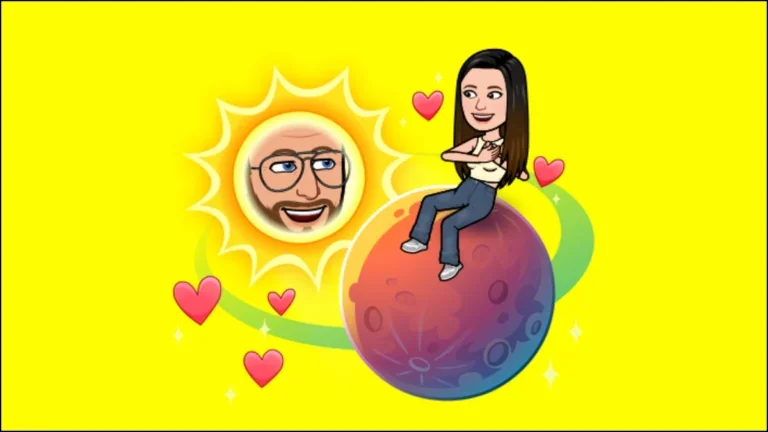
The Friend Solar System is a Snapchat+ feature that turns the Best Friends list into a visual solar system. The list itself has existed for years: a private ranking of the people you interact with most on Snapchat. The solar system simply paints the top eight slots as planets, in real solar system order, so you can see your rank at a glance instead of guessing.
A planet is never a separate score and never a judgment. It is one thing only: your position in that friend’s top eight. The Friend Solar System sits behind the Snapchat+ subscription, so you need your own active subscription to see planets at all. Planets are only one perk, and the full rundown of what Snapchat Plus includes covers the rest.
The Full Rank Table: Every Planet and What It Means
One table, and you will never wonder again:
| Your Rank | Planet | What It Means |
|---|---|---|
| #1 | Mercury | You are their #1 Best Friend |
| #2 | Venus | You are #2 on their list |
| #3 | Earth | You are #3 on their list |
| #4 | Mars | You are #4 on their list |
| #5 | Jupiter | You are #5, the middle of the list |
| #6 | Saturn | You are #6 on their list |
| #7 | Uranus | You are #7, near the bottom |
| #8 | Neptune | You are #8, the last slot |
A planet is not a grade. Neptune does not mean you are a bad friend. It means that out of everyone this person talks to, you still made their top eight. That is worth celebrating, not worrying about. If you want the look and story behind each planet too, the complete Snapchat planets order and meanings breaks them all down.
How to See Your Planet on Someone’s List
Same steps on iPhone and Android:
- Keep an active Snapchat+ subscription with Friend Solar System switched on.
- Open your friend’s profile.
- Tap the Best Friends badge with the gold ring.
- Your planet appears. Match it to the table above for your exact rank.
No badge? Either Snapchat+ is off, the feature toggle is off, or you are not in their top eight right now. One common gotcha: Snapchat leaves the Solar System switched off for first-time Snapchat+ subscribers, so new members need to turn it on in their Snapchat+ settings first.
Curious where your habits point before you check? The Snapchat Planets Calculator gives a fun estimate based on how you use the app.
How to See Your Full Best Friends List
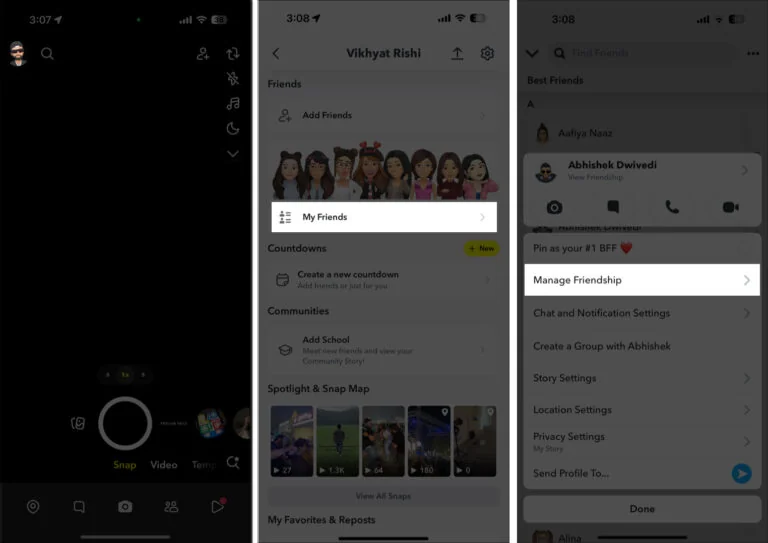
Your own Best Friends list lives on your profile, in the Friends section. Open Snapchat, tap your profile, then Friends, then My Friends, and the Best Friends section sits right at the top. It shows the people you interact with most, with little emojis marking the closest ones.
Those emojis are a separate system from planets, and what the Snapchat friend emojis mean decodes every one of them, from the yellow heart to the grimace.
Is the Snapchat Best Friends List Mutual?
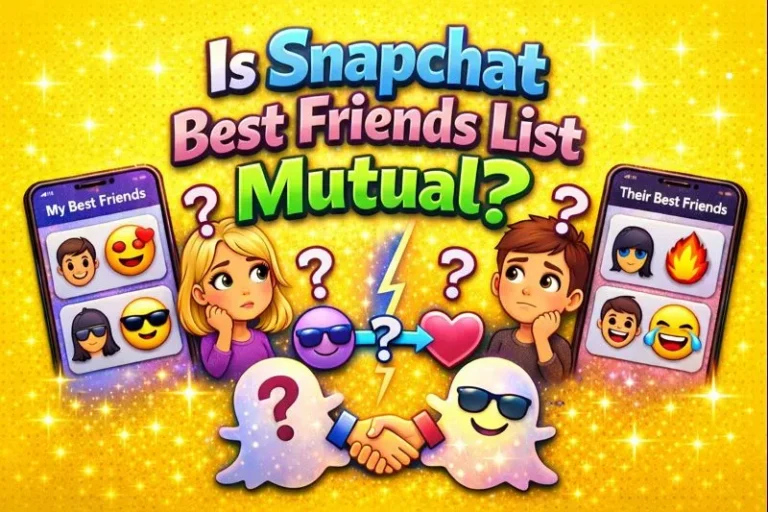
Not automatically. Your list is built from your activity, so it reflects who you talk to most. Your friend’s list is built from theirs. You can be each other’s #1, the mutual Mercury every friendship dreams about, or wildly mismatched.
A mismatch stings, but it is normal. It just means your Snap habits point at different people. Friendship is bigger than one app’s ranking, and a lopsided planet pair says nothing about who cares more.
Snapchat Best Friends vs Planets: What’s the Difference?
The Best Friends list and the Friend Solar System show the same ranking in two different ways. Here is how they compare:
| Best Friends List | Friend Solar System | |
|---|---|---|
| What it is | Private ranking of the people you interact with most | Visual version of that ranking: your top 8 shown as planets |
| Who can see it | Only you | You see your own rank on a friend’s profile; they see theirs on yours |
| Needs Snapchat+ | No | Yes |
| What it shows | Best friends with friendship emojis | Top 8 only, as Mercury (closest) through Neptune (farthest) |
How Snapchat Decides the Ranking
Here is what we actually know. Snap Inc. has never published the ranking formula, so any article quoting exact percentages or scores is guessing. What is confirmed: the list follows your interaction volume. The people you exchange the most Snaps and chats with float toward the top, and the list updates regularly as your interaction patterns change.
That is the whole honest picture. Anything beyond it is speculation, and the breakdown of how Snapchat decides the ranking sticks to what Snapchat has actually confirmed.
How to Become Someone’s #1 Best Friend on Snapchat
No trick forces a rank. “Get to Mercury in 24 hours” videos are fiction, because the ranking reflects weeks of habits, not one intense day. But the logic is simple: the people someone interacts with most, most consistently, drift inward. What genuinely works:
- Talk every day. Daily Snaps and chats over weeks beat one intense weekend.
- Keep it two sided. Real back and forth conversation ranks higher than one sided sending.
- Mix Snaps and chats. Both feed the ranking, so use both.
- Stay consistent. A few quiet days can slide you outward while someone else stays active.
- Be patient. Movement is gradual, because the list reflects weeks of habits.
Why Did My Planet Change?
The everyday reasons, in order of likelihood: you talked to them less, they talked to someone else more, a new friend entered their top eight and pushed everyone below down a slot, or Snapchat quietly adjusted how it counts activity. Small drift is normal life, not drama.
If planets vanished entirely instead of shifting, the troubleshooter for disappearing Snapchat planets covers every cause, from toggles to subscription lapses.
Can You See Someone Else’s Best Friends List?
No. Snapchat keeps everyone’s full list private. You can see your own complete list, and planets reveal exactly one thing about someone else’s list: your rank in it. Nobody else’s positions are visible to you, and yours are not visible to them.
Conclusion
Your planet is simply your rank on someone’s Best Friends list, drawn as a solar system. Check it with the gold badge, read it with the table above, and if you want to climb higher, the recipe never changes: show up daily, keep it mutual, and stay consistent. Mercury is earned, not hacked.
Frequently Asked Questions
What are Snapchat Best Friends list planets?
They are the visual form of the Best Friends list. Each of the top eight friends appears as a planet, Mercury at #1 through Neptune at #8.
How do I check my planet on someone’s list?
With Snapchat+ active, open their profile and tap the gold ringed Best Friends badge. Your planet shows your rank in their list.
What does it mean if I am Mercury?
You are their #1 Best Friend, the person they Snap and Chat with most.
What does Neptune mean on the Best Friends list?
You are #8, the last slot in their top eight. You still made the list, which means you matter to them.
Can two friends have different planets for each other?
Yes. Each planet reflects one person’s list, so you can be their Mercury while they are your Jupiter.
How do I become someone’s #1 Best Friend quickly?
There is no verified shortcut. Interact with them more than anyone else does, keep it mutual, and stay consistent for weeks.
Do I need Snapchat+ to see Best Friends list planets?
Yes. The Friend Solar System is a Snapchat+ exclusive feature.
Why did my planet change if I did nothing different?
Ranks are relative. If your friend started Snapping someone else more, your slot moves down even when your own activity stayed the same.


2 Comments