
Quick Answer:
Snapchat Best Friends List Planets are part of Snapchat+. Mercury represents your #1 Best Friend, Venus #2, Earth #3, and Neptune #8. The planets simply visualize Snapchat’s existing Best Friends ranking system
Listen to this Article:
| Rank | Planet |
|---|---|
| #1 | Mercury |
| #2 | Venus |
| #3 | Earth |
| #4 | Mars |
| #5 | Jupiter |
| #6 | Saturn |
| #7 | Uranus |
| #8 | Neptune |
The Best Friends List Came First Planets Came Later
Many people think Snapchat Planets and the Best Friends list are the same thing, but they are actually different.
Snapchat has always kept track of your closest friends by measuring how often you interact with them through snaps and chats. This ranking is called your Best Friends list, and it existed long before the Planets feature was added.
When Snapchat introduced Planets as part of Snapchat+, it did not create a new ranking system. It simply turned the existing Best Friends list into a visual format. Instead of showing your top friends in a numbered list, Snapchat displays them as planets. Mercury represents your closest friend, while Neptune represents your eighth closest friend.
So, if you want to know why someone appears as a certain planet, the answer comes from Snapchat’s Best Friends ranking system not from the planets themselves.
To learn how Snapchat calculates these rankings, including which interactions matter and how the system works, read our complete guide on Snapchat Best Friends ranking.
Why Planets Only Show for Your Top 8 Friends
This is one of the most common questions people ask. You open one friend’s profile and see a planet. You open another and see nothing. Here is exactly why.
Snapchat only assigns planets to your top 8 most active friends. If you regularly talk to 30 people on Snapchat, only the 8 you interact with the most will ever get a planet. Everyone else simply does not qualify.
If a friend has no planet when you view their profile, it means they are not currently in your top 8. It does not mean anything is broken.
Want the full meaning behind each planet and what each position says about your friendship? Check our complete guide on what are Snapchat planets.
The Two Badges — Best Friends vs Friends
When you tap a friend’s profile to see their planet, you will notice one of two badges appears before the planet is shown. A lot of people overlook this badge but it actually tells you something important.
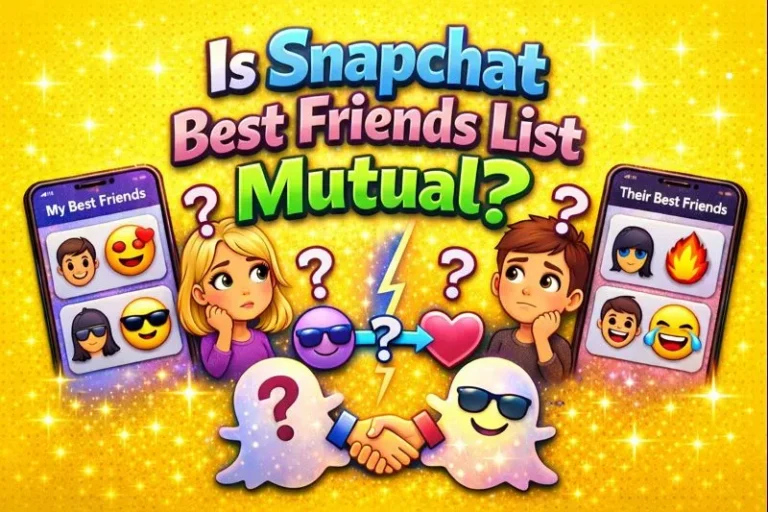
Best Friends badge means the connection goes both ways. You are in their top 8 AND they are in your top 8. You both interact with each other enough that Snapchat recognises it from both sides. This is the strongest connection the planet system can show.
Friends badge means the connection is one-sided. You interact with them enough that they are in your top 8, but you are not necessarily in their top 8. They have other people they snap with more than you.
A planet can appear with either badge. The badge tells you whether the friendship is mutual. The planet tells you your exact rank within that friendship. Both pieces of information together give you the full picture.
Many people confuse this with the best friend emojis like the yellow heart or red hearts. Those are completely different. Here is the difference clearly laid out:
| Feature | Snapchat Planets | Best Friends Emojis |
|---|---|---|
| What it shows | Your numbered rank in someone’s top 8 | Friendship milestone status |
| Who can see it | Only you (Snapchat+ only) | Both people see it |
| Requires Snapchat+ | Yes | No |
| Shows your exact rank | Yes, position 1 through 8 | No, just milestone |
| Based on | Relative interaction ranking | Streak length and mutual status |
The key difference is privacy. Emojis are shared between both people. Planets are completely private only you see them. Your friend has no idea what planet you have assigned them unless they check from their own account.
What Happens When Someone Enters or Leaves Your Top 8
Your top 8 is not fixed. It changes constantly as your interaction patterns shift. This is why planets sometimes appear and disappear without warning.
When a new friend enters your top 8: A planet appears next to their profile for the first time. This happens when your recent interaction with them has grown strong enough to push them past someone else who was previously in your top 8.
When a friend leaves your top 8: Their planet disappears completely. This usually happens when you stop snapping them as often, or when other friends become more active and push that person out of the top 8 positions.
When a friend moves up or down within your top 8: Their planet changes. Someone who was showing as Venus might shift to Earth if another friend becomes more active between you. The planet changes but does not disappear because they are still inside your top 8.
Snapchat does not notify you when any of this happens. You only notice if you check actively by going to that person’s profile.
If a planet has disappeared and you are not sure why, the most common reason is a drop in recent interaction. Read our full breakdown on why Snapchat planets disappear to understand all the reasons this happens and how to fix it.
Does Your Friend Know What Planet They Are?
No. And this is the part most people get wrong.
When you open a friend’s profile and see their planet, that information is completely private to you. Your friend cannot see what planet you have assigned them. There is no notification, no alert, and no way for them to check from your side.
Each person only sees their own version of the planet system. What you see for a friend and what that friend sees for you are calculated independently based on each person’s own activity. You might see them as Mercury while they see you as Saturn. Both results are correct because they reflect each person’s own interaction patterns.
This is how Snapchat keeps the system from becoming competitive or awkward. You cannot see a ranked list of all your friends from 1 to 8 at once. You can only check one profile at a time, and the information stays with you.
How to Check What Planet a Friend Is
You need an active Snapchat+ subscription to see planets. If you do not have Snapchat+, this feature simply will not appear no matter what you do.
Here are the steps:
- Open Snapchat and make sure your Snapchat+ subscription is active. You can check this in your profile settings.
- Go to your chat list and tap on the friend whose planet you want to see.
- On their profile page, look for a small badge below their name. It will say either Best Friends or Friends.
- Tap that badge. Snapchat will show you the planet that represents your current rank with that friend.
The planet you see reflects your interaction with that person right now. It can change the next time you check if your snapping patterns have shifted.
Not sure what Snapchat+ includes or whether it is worth it? See our guide on what is Snapchat Plus for a full breakdown of everything the subscription offers.
Why Planets Are Not Showing for Some Friends
If you open a friend’s profile and see no planet at all, work through this list:
Your Snapchat+ subscription has expired. This is the most common reason. Go to your profile, tap the star or diamond icon, and check your subscription status. If it has lapsed, planets will not show anywhere.
That friend is not in your top 8. If you have not interacted with them recently, they may have dropped out of your top 8. Planets only appear for your 8 most active connections.
The interaction is mostly one-sided. If you send snaps but they rarely reply, Snapchat reads this as a weak connection. Planets are more likely to appear when both people are actively engaging.
Friend Solar System is turned off. Go to Settings, tap Snapchat+, and check that the Friend Solar System toggle is switched on. It can get switched off after an app update.
Your app needs an update. An outdated version of Snapchat can cause planets to display incorrectly or not at all. Update through your app store and check again.
Privacy Rules You Should Know
Snapchat built the planet system with privacy in mind from the start. Here is what that means in practice:
Only Snapchat+ users can see planet rankings. Even if two people are each other’s best friends, only the person with a Snapchat+ subscription can see the planets when they view a profile.
Your ranking is completely private. Nobody else can see your Best Friends list or planet order. Friends, followers, and strangers have no access to this information.
Snapchat deliberately uses planet names instead of numbers. You cannot pull up a list showing your friends ranked 1 through 8. You can only see individual planets one profile at a time. This is intentional it keeps the ranking system feeling personal rather than competitive.
Each person’s view is independent. Your planet order and your friend’s planet order for you are calculated separately. They can be completely different from each other.
Frequently Asked Questions:
Do both people need Snapchat+ to see planets?
No. Only you need Snapchat+ to see planets when you view someone’s profile. Your friend does not need a subscription for their planet to appear to you. The planet is generated from your subscription and your activity data only.
Can my friend see what planet they are on my profile?
No. They can only see what planet you are on their profile if they have their own Snapchat+ subscription and check from their side. What they see may be completely different from what you see.
Why did a friend’s planet change without me doing anything?
Snapchat recalculates rankings daily based on recent activity. Even small changes in how often other friends snap you can shift someone’s planet position. You do not have to do anything for the order to change.
Can I have more than 8 planets?
No. The system is capped at 8 planets, one for each planet in our solar system. Only your top 8 most active friends will ever have a planet on your profile view.
Does the Best Friends list order and the planet order always match?
Yes. The planet order is a direct reflection of your Best Friends list ranking. Mercury is always your #1 Best Friend. Neptune is always your #8. They are the same ranking shown in two different ways.
If I am someone’s Best Friend does that mean they are my Best Friend too?
Not necessarily. You might be in their top 8 without them being in your top 8. That is exactly what the Best Friends badge versus Friends badge tells you when you view their profile.
Want to understand how Snapchat decides who gets ranked higher on your list? Read our full guide on how Snapchat best friends ranking works to see exactly what the algorithm looks at.